Do you often find yourself with a great-sounding, snappy drum mix, but the peaks (usually the snare) are jumping way out—possibly even clipping you meters—even though you’ve carefully compressed your separate tracks and the drum bus? What do you do?
Well, it’s time to reach for a limiter, or in this, a clipper. If you don’t know, limiting and clipping are similar, in that they limit dynamics beyond a certain threshold, but limiters usually shape the signal to avoid clipping, whereas clipping lets nothing past the threshold, and that brutal barrier results in distortion. Push this hard enough, and you get the kinds of distortion we’re familiar with: rock guitar amps or walkie-talkies. The former does this for a desired outcome; the latter distorts because the cheap, small speaker with a very restrictive frequency range is easily overloaded.
The goos news is: clipping is barely noticed on quick transient peaks, and you can get away with quite a lot when using a plug-in (or hardware) designed for such a purpose. You can also lean into the clipping to get a more aggressive, in-your-face sound, but judgement is key; too much uncontrolled distortion can mess up your signal!
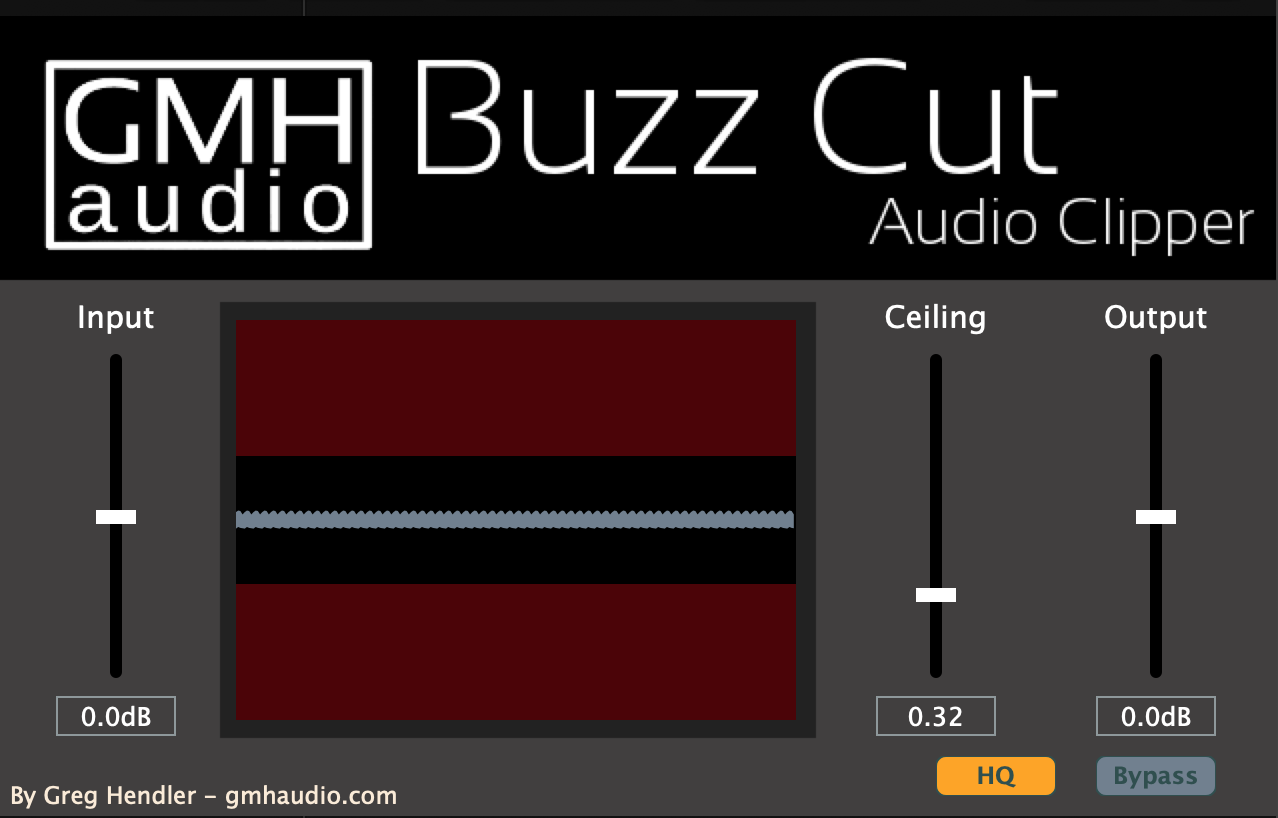
And that brings us to GMH Audio’s Buzz Cut.
This is one of those I-can’t-believe-it’s-free plugins. Sure, the interface is a little naive, but it’s also simple, easy to understand, and you get precise visual feedback of the waveform and where the clipping is occurring—this is a great feature for people who are starting out, or who just want to know.
I brought in a drum loop that had a snare that peaked right at the top of the meters at -0dBfs, which is totally unacceptable! If you have massive peaks like this all over your mix, it can cause several issues: chiefly that those instruments will “poke” out of the mix and sound amateurish, but it also skews the average loudness of your mix, making it harder to control your headroom, and can even lead to speaker damage! Controlled dynamics are what separate the pro mixes from home!
This loop sounds quite choppy (I think there might be some kind gate or transient shaper in the original loop, or even mp3 compression?), and you may notice the snare spiking out quite drastically. Here it is without any processing:
Now here it is with the Buzz Cut clipper applied quite hard; it’s essentially lowering the snare peak to the same level as the kick drum:
Did you notice anything? Nah, neither did I. It sounds virtually the same, except there are no stray peaks in this file. If this was in your mix, you would find it easier to get it to sit right, and you wouldn’t have to move that bus fader around to find the right level for the drums, drastically lower your snare, or sheer off that lovely attack with a compressor, losing the impact.
When applying drum compression, sometimes that enhances the attack, making the problem even worse. The drums sound cool; they’ve got the shape and feel you want, but again: those peaks are out of control! This is another good opportunity to use Buzz Clip.
To illustrate this, I inserted Waves RCompressor on the loop, and dialed in a nice compression (I actually love how this smoothed out the choppy feel of the loop), but RComp is still letting through a lot of attack, and the same peak problem exists with the loop. Here is it is with just the Rcompressor:
Now here it is with Buzz Cut after the compressor:
Again, they sound pretty similar. But the first one has peaks that are +6dB LOUDER than the clipped one! That is a LOT of headroom to regain for your mix. Plus, that added clipping from the clipper gives it a more squared-off, punchier sound, yet rounded off in a way that doesn’t tear your earholes out!
In conclusion, I strongly recommend you head over to GHM Audio’s site and download this wonderful pay-what-you-want plugin and start using it as a tool in your mixes today!
Happy mixing!